Build client plans with clarity instead of guesswork
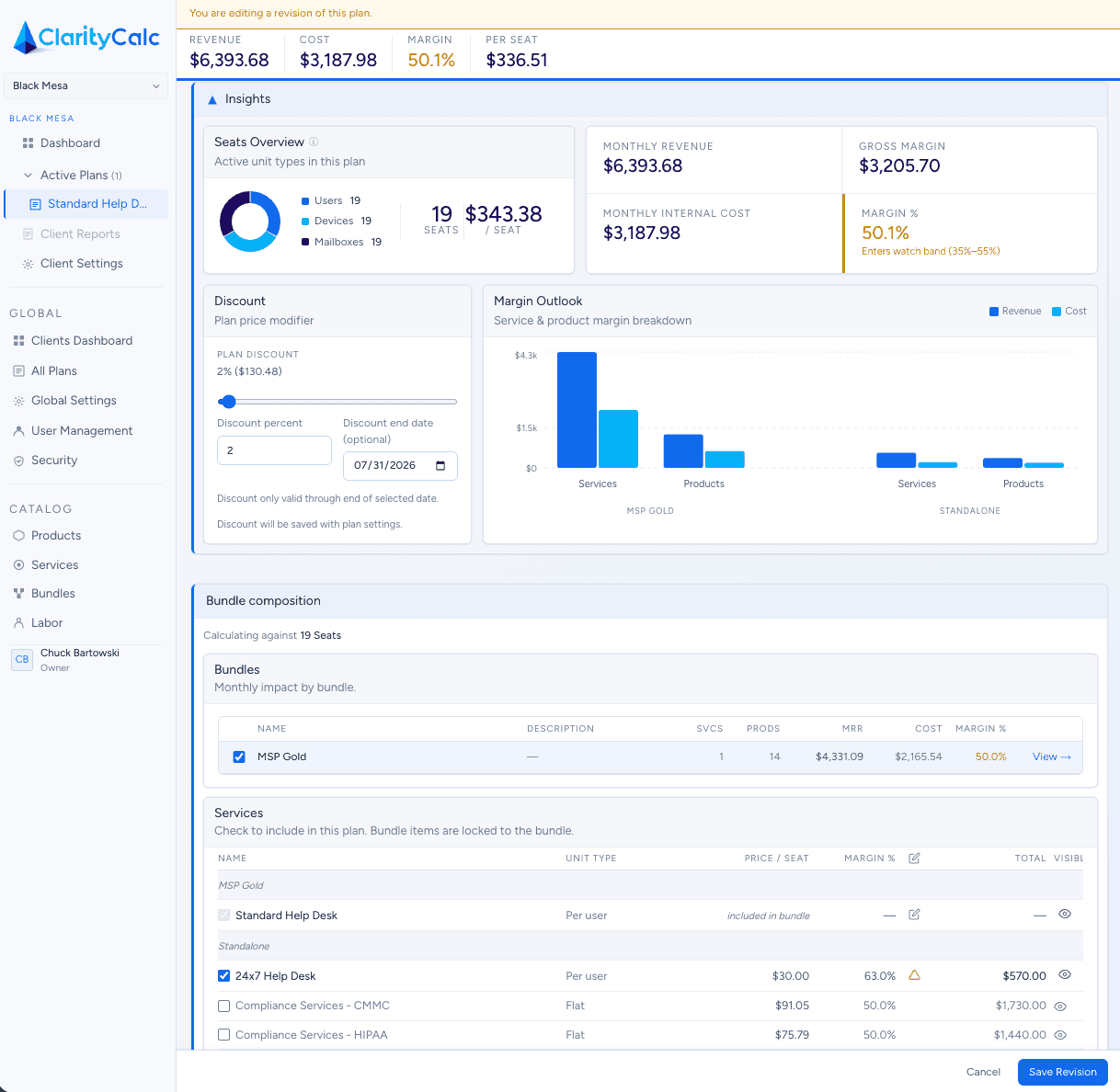
The plan builder is where ClarityCalc turns catalog logic into a real client offer. Every service you add carries its own cost structure based on real-world units. As the plan comes together, ClarityCalc continuously translates those costs into a consistent price per seat so the final package remains simple, even when the underlying math is not. Instead of quoting from memory or stitching together one-off agreements, your team builds from a structured foundation.
Use bundles without losing detail
Select a bundle such as Core IT or Security, then immediately see which products and services it brings with it.
Customize intentionally
Add or remove items when needed without turning the plan into a black box.
Keep the build process understandable
The UI is designed to make dependencies visible so users can tell what is included directly, what came from a bundle, and where overlap already exists.
Prepare for cleaner downstream outputs
A better plan structure makes quoting, documentation, service alignment, and profitability reporting more reliable later.
How it works
- 1Start with a client or template.
- 2Select one or more bundles.
- 3Review included products and services.
- 4Adjust unit counts, service choices, or pricing where needed.
- 5Save a plan that is easier to quote, explain, and deliver.